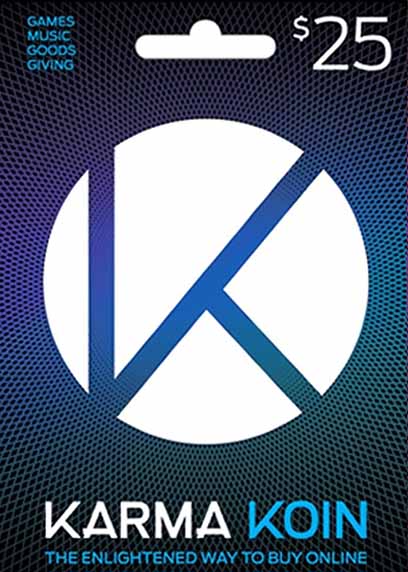
₨ 4,549.99
₨ 4,549.99
The code will be delivered to your account on our website.
We deliver codes within 10–15 minutes, and up to a maximum of 8 hours. Tap here to check our business hours.

Can't be activated in Nepal

This is a digital edition of the product (CD-KEY)
No more bothering with keeping your credit card at hand, putting down the numbers and hoping you didn’t miss anything! Buy Nexon Karma Koin 25 USD and keep it at hand, so whenever you need to recharge your in-game wallet, it’s simple and easy.
Simple but great
Karma Koins are accepted by a great variety of game publishers, so you are sure to find where to invest these newfound funds. There’s nothing complicated about this card; once you have bought it, scratch the protective layer and enter the pin code you find to any of your chose games. The in-game currency bought with the pre-charged card will be in your wallet!
Thought, one pin can be used for a single game. Buy Nexon Karma Koin 25 USD and use acquired pin on the game of your choice, increasing your premium currency. Once the code is entered, your funds can be spent in any way you deem fit – just like using any old general gift card! And here’s a bonus: you end up getting more value out of the card, than you will pay for it, meaning that some money will stay in your pocket as a personal bonus! And who doesn’t like to have extra spending cash – we know we do!
Not only games
The Koins are not restricted to games only. Buy Nexon Karma Koin 25 USD and discover just how many possibilities these cards have to offer, Chief among them being music. But in all honesty, anything you can see the Karma Koins logo, know they accept this card! So, your options are not limited to titles or songs; and this is what makes Karma Koins such a great gift! The receiver will be able to spend it on things they want, from game to other digital goodies. Just be on the lookout for that magical K.
Grab Karma Koins and you will get a sweet deal of topping up your wallets and saving at the same time. It’s a gamer’s dream come true!
New user? create account
Open your Mobile Banking App
Log in using your credentials.
Go to Fund Transfer / Send Money
Choose the appropriate option.
Select Transfer Type:
Choose one of the following based on your preference:
Same Bank
Other Bank
connectIPS (low transfer fee)
Enter Payment Details
Use the payment details provided in your email.
In the remarks or reference section, make sure to write your Order Number.
Complete the Payment
Confirm and submit the payment.
Take a Screenshot
Once the payment is successful, take a screenshot of the confirmation page showing the transaction details.
Send Payment Slip via Email
Go to your email inbox.
Find the Order Confirmation Email you received from us.
Reply to that email and attach the payment screenshot.
You may write a short note like:
“Payment completed. Please find the attached payment slip for Order #12345.”
⚠️ Note: Your eSewa account must be verified to send money directly to a bank account.
Open the eSewa App
Tap on the Scan QR icon (usually on the home screen)
Scan the QR code provided in your email
Enter the amount and in the remarks, write your Order Number
Confirm and make the payment
After successful payment, take a screenshot of the confirmation page
Go to your email, find the order confirmation email, and reply with:
The screenshot attached
A short note like:
“Payment completed via eSewa QR. Attached is the payment slip for Order #12345.”