₨ 2,599.99
₨ 2,599.99
The code will be delivered to your account on our website.
We deliver codes within 10–15 minutes, and up to a maximum of 8 hours. Tap here to check our business hours.

Can't be activated in Nepal

This is a digital edition of the product (CD-KEY)
Important Notice: Redeemable for UNITED STATES accounts (only $ currency).
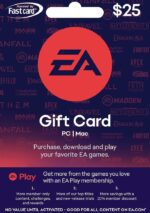
Ready to recharge your EA-wallet with secure prepaid credit? Then get your Origin Gift Card online 24/7 with instant email delivery. In just a few moments you can play your favorite EA Games, such as Sims 4, FIFA or Battlefront completely without a credit card! You can also use an EA Origin Card to download games or buy in-game content from the EA Origin Store.
After purchasing your game card with one of our secure payment options, the redeem code will be sent to your inbox. Top up your EA Wallet easily, quickly and reliably with prepaid credit on the EA Origin Cash Card.
Did you follow the redemption instructions, but didn’t succeed in redeeming your code? Then please contact our customer service by chat or email. They are happy to help you out.
Yes you can! And an EA Origin Gift Card is all you need to gift someone great EA games like FIFA, SIMS 4 and more along with all kinds of in-game content choices. With this gift, you give someone the opportunity to choose from the wide range of EA Games in the Origin Store. What’s more, you can style your gift card for the occasion with one of our free gift card templates. Customize your gift card even more and add a personal note before you download your printable gift card. You’ll never have to go to someone’s Birthday party empty-handed anymore with this gift that is ready in just a few minutes!
Origin is the game distribution platform of EA games (Electronic Arts) and was formerly known as EA Store and EA download manager. You can compare Origin to other gaming platforms like Steam. EA games can be played on various platforms and consoles, such as your PC, PlayStation or XBOX. Whether you call it EA Cash Card, EA Origin Game Card, EA Origin Gift Card or EA Origin Cash Card or Origin Card, you can buy it online to recharge your EA wallet or buy EA content directly.
Origin has a game subscription especially for PC called Origin Access Premier. With it, you get early access to the latest games even before the official publication date. Depending on your country, you can also use an Origin Gift Card to purchase this new subscription. However, please check if this option applies to your situation. Currently, (2019) it is possible to use your EA wallet balance to buy an Origin Access Premier subscription in these countries: Belgium, Brazil, Finland, France, Germany, Italy, Netherlands, Poland, Spain, UK, US.
Yes, EA Origin Gift Cards are country-specific. That means that the country you purchase the gift card for has to match the country of your EA account.
New user? create account
Open your Mobile Banking App
Log in using your credentials.
Go to Fund Transfer / Send Money
Choose the appropriate option.
Select Transfer Type:
Choose one of the following based on your preference:
Same Bank
Other Bank
connectIPS (low transfer fee)
Enter Payment Details
Use the payment details provided in your email.
In the remarks or reference section, make sure to write your Order Number.
Complete the Payment
Confirm and submit the payment.
Take a Screenshot
Once the payment is successful, take a screenshot of the confirmation page showing the transaction details.
Send Payment Slip via Email
Go to your email inbox.
Find the Order Confirmation Email you received from us.
Reply to that email and attach the payment screenshot.
You may write a short note like:
“Payment completed. Please find the attached payment slip for Order #12345.”
⚠️ Note: Your eSewa account must be verified to send money directly to a bank account.
Open the eSewa App
Tap on the Scan QR icon (usually on the home screen)
Scan the QR code provided in your email
Enter the amount and in the remarks, write your Order Number
Confirm and make the payment
After successful payment, take a screenshot of the confirmation page
Go to your email, find the order confirmation email, and reply with:
The screenshot attached
A short note like:
“Payment completed via eSewa QR. Attached is the payment slip for Order #12345.”