

₨ 16,399.99
₨ 16,399.99
The code will be delivered to your account on our website.
We deliver codes within 10–15 minutes, and up to a maximum of 8 hours. Tap here to check our business hours.

Can be activated in Nepal

This is a digital edition of the product (CD-KEY)
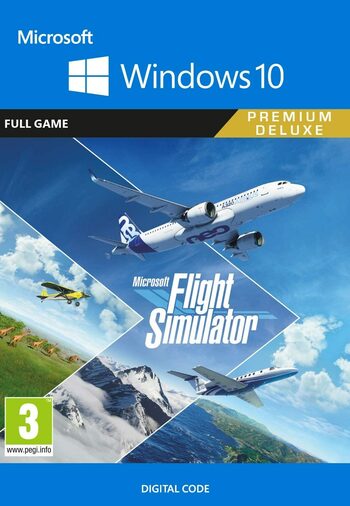
Microsoft Flight Simulator 2020 Windows 10 Store key brings you the eleventh installment in the long-running aviation sim series. Developed by Asobo Studio and published by Xbox Game Studios, the game is a direct sequel to the Microsoft Flight Simulator X (FSX) released back in 2006. Just as the name of the new Flight Simulator 2020 implies, MSFS 2020 key brings much more of a real-life data-based flight simulation rather than an arcade game but make no mistake – this is exactly what makes this experience so immersive and memorable.
You don’t need to be a hardcore aviation enthusiast to gain the most out of Microsoft Flight Simulator 2020 Windows key. Whether you’re a flight sim expert or a curious newcomer – entertainment and jaw-dropping experiences are guaranteed. First, there’s the near-photorealistic graphics with vast view distances providing the player with the pleasure of witnessing air traffic created by other players. Much like another acclaimed Microsoft exclusive Forza Horizon 4, the MSFS 2020 key introduces a virtual shared world with a seamless transition between online and offline modes.
Utilizing the resources of Microsoft, Asobo Studio presents an optimized simulation experience packed with the capacity of recreating the entire planet Earth in-game. Microsoft Flight Simulator 2020 key will allow you to witness some of the most impressive technical feats of our time: Asobo’s flight sim combines textures and topographical data acquired through Bing maps together with 3D models of ground objects that are procedurally generated with the help of Microsoft Azure technology. Unscripted, dynamic weather patterns are also present which make each MSFS 2020 flight seem like a unique visual spectacle with its very own nuances.
Control some of the most iconic aircraft in the history of aviation! The game features a wide selection of both propeller aircraft as well as commercial airliners such as the legendary passenger jet Boeing 737. Buy Microsoft Flight Simulator 2020 Windows 10 Store key and have your chance to learn the basics of flight or tweak with the settings to have everything set up for the flight if you’re not in the mood for all the start-up procedures. Take off to the skies from thousands of real-life airports, see historical landmarks from bird’s view, and enjoy relaxing flying with no consequences or dangers which might hinder a similar experience in real life.





New user? create account
Open your Mobile Banking App
Log in using your credentials.
Go to Fund Transfer / Send Money
Choose the appropriate option.
Select Transfer Type:
Choose one of the following based on your preference:
Same Bank
Other Bank
connectIPS (low transfer fee)
Enter Payment Details
Use the payment details provided in your email.
In the remarks or reference section, make sure to write your Order Number.
Complete the Payment
Confirm and submit the payment.
Take a Screenshot
Once the payment is successful, take a screenshot of the confirmation page showing the transaction details.
Send Payment Slip via Email
Go to your email inbox.
Find the Order Confirmation Email you received from us.
Reply to that email and attach the payment screenshot.
You may write a short note like:
“Payment completed. Please find the attached payment slip for Order #12345.”
⚠️ Note: Your eSewa account must be verified to send money directly to a bank account.
Open the eSewa App
Tap on the Scan QR icon (usually on the home screen)
Scan the QR code provided in your email
Enter the amount and in the remarks, write your Order Number
Confirm and make the payment
After successful payment, take a screenshot of the confirmation page
Go to your email, find the order confirmation email, and reply with:
The screenshot attached
A short note like:
“Payment completed via eSewa QR. Attached is the payment slip for Order #12345.”
